




Small business bank accounts - frequently asked questions

How to manage cash flow for small business owners

How to prepare for unexpected expenses in business

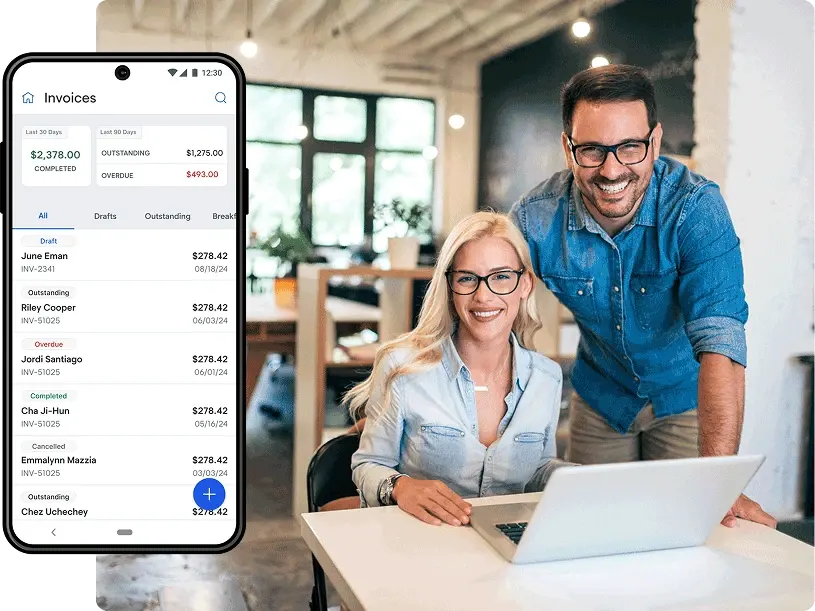
U.S. Bank’s invoicing software seamlessly integrates with your point-of-sale (POS) system so you can create, send and manage customer invoices with ease.
Our robust yet user-friendly invoicing software provides you with all the tools needed to streamline billing in one platform.
Use customer profiles to generate new invoices and email them directly – no paperwork, no postage, no delays. Customize invoices with your branding, payment terms and other details.
Offer your customers the option to select from various payment methods online, so you get paid faster while providing a better customer experience.
Sort and manage all your invoices in one place. Search by name or invoice number, view by invoice status and download reports. Connect with your inventory to always know what’s in stock.
Set the terms of payment and, if payment becomes overdue, our invoicing software allows you to schedule automatic reminders.
Once your customer has the invoice link, they can pay their bill online in minutes. This means you could access your funds faster with payments deposited directly in your business checking account.

Learn about our transaction fee rates so you get the most for your money. Transaction, hardware and sales tax fees may still apply. 1
For physical or tap-to-pay card payments made by customer.
For card payments where you enter manual card details for customer in person or over-the-phone.
For digital or ecommerce purchases online.
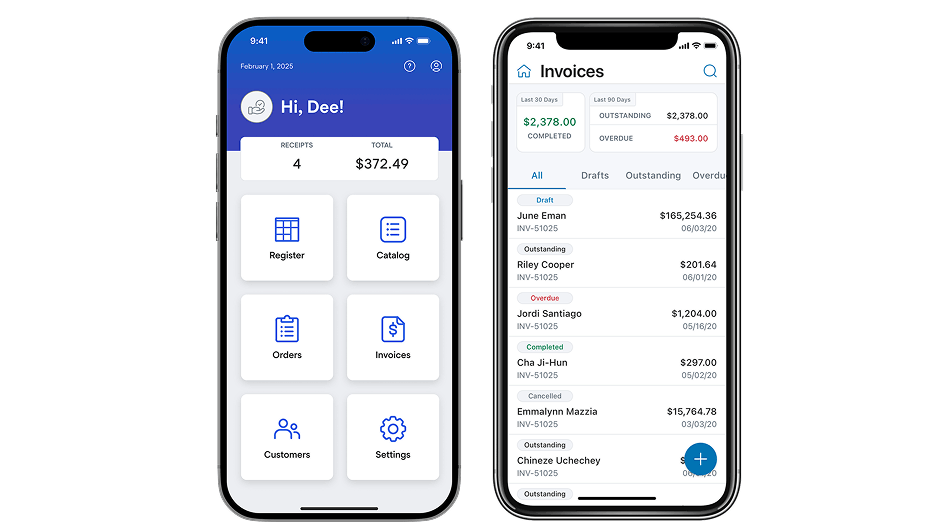
Invoicing software offers several advantages, including time savings, improved accuracy in invoicing, efficient tracking of payments and enhanced organization of financial records. It also provides businesses with insights into their cash flow and helps maintain a professional and consistent invoicing process.
With our invoicing software, your customers can conveniently pay their invoices with a credit or debit card or arrange to use an alternative method of payment like cash or check.
Once you’ve opened a U.S. Bank Payment Solutions account, you need to “turn on” online payments and link your bank account in your settings to begin receiving payments.
Yes, many invoicing software solutions offer integrations with various accounting and financial tools. This integration helps businesses maintain consistency in financial reporting and ensures that invoicing data seamlessly flows into broader financial management systems.
Yes, with the U.S. Bank invoicing software you can add your business logo, choose different templates and tailor the layout to match your brand.
Yes. The U.S. Bank invoicing solution includes features to track payment status and send automated reminders for overdue invoices. This helps businesses maintain a proactive approach to accounts receivable management and encourages timely payments from clients.
Find the U.S. Bank branch nearest you.
Schedule a virtual or in-person meeting with a business banker.
Fill in details about your banking needs and a representative will call you.
Call 800-432-9413 to talk with a representative right away.

